

You registered Victaulic Tools for Revit (VTFR), your account shows free seats, and yet creating a SpoolTracker project fails with a message that you have no license. The usual reason is that SpoolTracker is licensed separately from VTFR.
The short answer
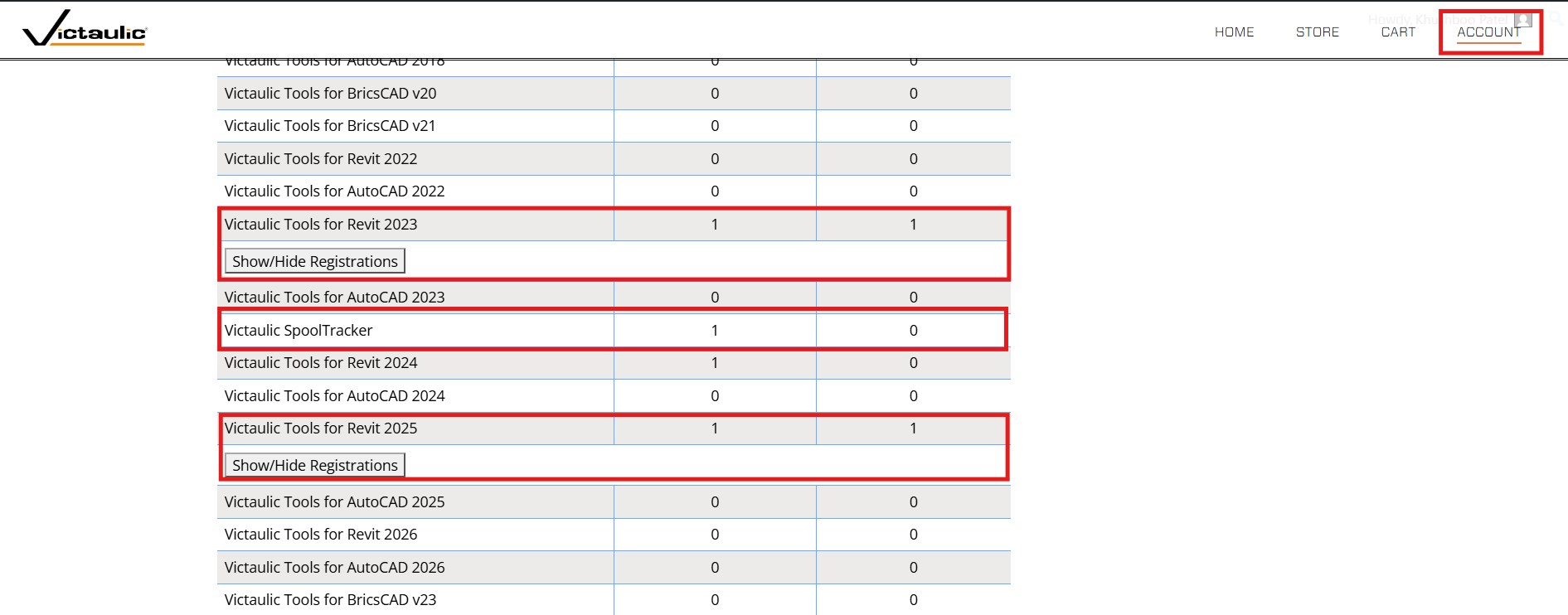
The VTFR user manual says the person who uploads spools needs a Victaulic SpoolTracker license, bought through the online store. VTFR seats do not stand in for it, so a full set of free VTFR seats can sit next to a “no license” message.
Step 1: Check what your account holds
- Sign in to your Victaulic Software account.
- Confirm that a SpoolTracker license is on the account, not only VTFR licenses.
If it is missing, buy it from the SpoolTracker store page.
Step 2: Make sure VTFR is registered to the same account
Open Toolbar Settings, select the Victaulic Tools Registration tab, and log in with the store email and password. If registration was cleared at some point, logging in again restores it. If login fails or does not stick, see our article on network restrictions.
Step 3: Create the project from inside Revit
SpoolTracker projects can only be created from VTFR. The web dashboard is for viewing and administering projects that already exist.
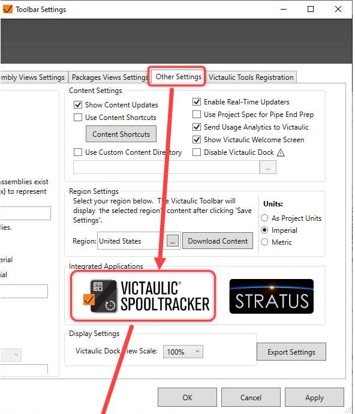
- In Revit, open Toolbar Settings and select the Other Settings
- Under Integrated Applications, click the SpoolTracker
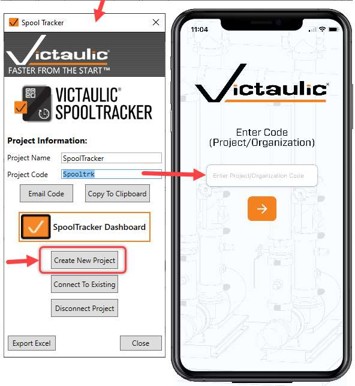
- In the Spool Tracker window, click Create New Project. A Project Code is generated.
Make sure your model has Revit assemblies. SpoolTracker needs them to generate the QR codes the app reads.
Step 4: Use the code in the app and on the dashboard
- In the phone app, enter the Project Code on the first screen.
- To use the web dashboard at spooltracker.victaulic.com, first create a user account with the Sign-up option on the login screen. The first user to log in to the project with its code becomes the Admin.
- If you need an Organization code, one can be created by request.
If the first login fails but the second works
A “password incorrect” message followed by a successful login right after can point to an unreliable connection to Victaulic’s servers, not a wrong password. Run the connection check in our network restrictions article.